From a no-cool call to a paid invoice, without the paperwork.
Heating and cooling work is a mix of emergency calls and repeat maintenance. ServiceVisit keeps both on one schedule, with the checklist, photos and payment attached to the job.
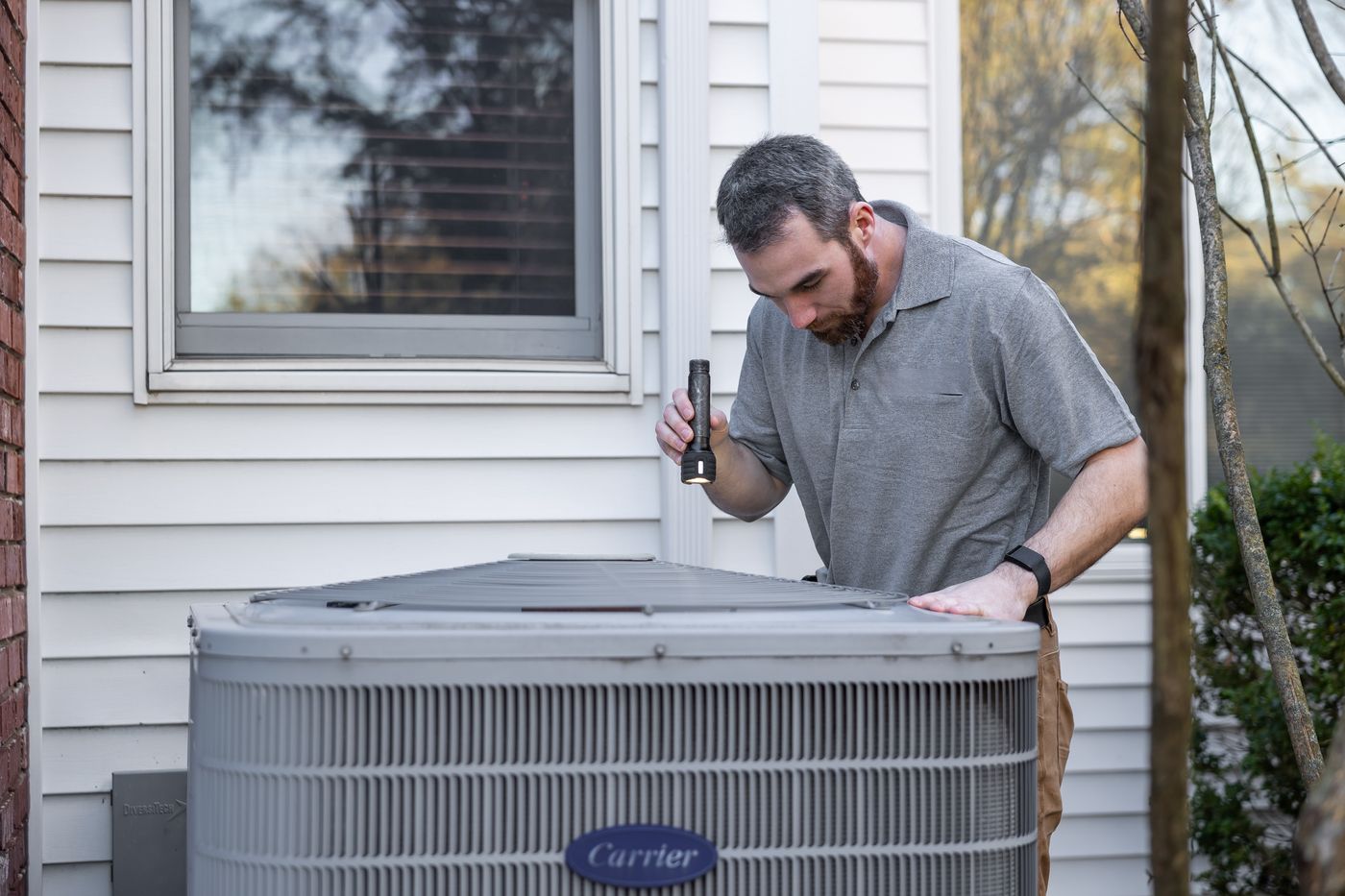
Today's visit
Peak season is a flood of calls, and the paperwork is the first thing to slip.
“It's 95 degrees, the phones won't stop, and I'm writing addresses on the back of my hand.”
“I diagnose the problem, give a price from the truck, and then forget to bill the part.”
“Spring and fall tune-ups are easy money, but nothing reminds me to call last year's customers.”
Four things that change how a cooling season goes.
Calls don't get lost
A no-cool call becomes a job in seconds and lands on a technician's day, with the customer and the problem already on it.
Diagnoses are done the same way every time
A checklist with required readings and photos means the temperature split and the filter check are on the job, not in someone's head.
Repairs get approved and billed
Labor and parts go on an estimate the customer approves online, and the invoice matches it.
Tune-ups book themselves
Sell a comfort plan once and the spring and fall visits are scheduled and billed for you.
A July Tuesday, two ways.
Without ServiceVisit
- Calls come in faster than you can write them down
- The part gets installed, and the invoice gets written next week
- A customer disputes the price because it was only said out loud
- No one remembers who was due a fall tune-up
With ServiceVisit
- Each call is a job on the schedule before you hang up
- Parts and labor are on the estimate the customer approved
- The invoice is paid by card at the door
- The comfort plan has already booked the fall visit
One no-cool call in July, followed all the way to the fall tune-up.
See how a hot afternoon becomes a diagnosed, approved, paid repair, and then a customer who comes back.
New job
Jon’s Tuesday
Cooling diagnostic
Estimate
Invoice
Plans
Estimate
Pay invoice
Plan offer
It is 96 degrees and the call becomes a job on the schedule before you hang up.
You see each technician’s afternoon and place the visit where it fits.
The air filter, the temperature split and a photo of the outdoor unit are on the job, not in someone’s head.
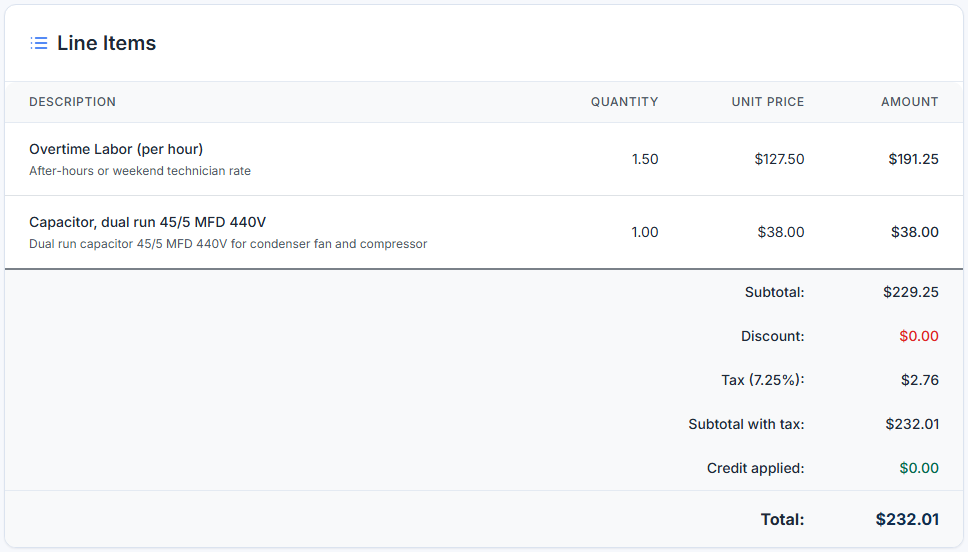
A weak capacitor is the cause. Labor and the part go on an estimate she approves from her phone.
The system is cooling, and the invoice is paid by card at the door.
She took the spring and fall plan, so the visits are scheduled and billed for you.
The estimate your customer approves
Labor and the part, itemized on one estimate the customer approves from their phone.
Three leaks an HVAC business can close.
Parts and extra labor
Everything installed is a line on the estimate and the invoice, so nothing is absorbed.
Slow payment
Paid by card on site, instead of an invoice waiting in someone's inbox.
Maintenance plans
One repair becomes a recurring tune-up that is scheduled and billed without a reminder from you.
Turn tune-ups into repeat visits.
Sell prepaid maintenance packages and service plans so the spring and fall visits are already on the schedule, and a package can include a warranty extension.
- Prepaid maintenance packages
- Service plans the customer accepts online
- Recurring visits that schedule themselves
Maintenance plan
The same standard on every visit.
Checklist templates put the same steps in front of every technician, and photos on the job record what was found and what was done.
- Reusable checklist templates
- Photos on every visit
- Parts used tracked in inventory
Cooling diagnostic
Put both options in front of the customer.
Put the repair and the replacement on one estimate as optional items. The customer checks what they want and approves from their phone, and a deposit can be requested before equipment is ordered.
- Optional items on estimates
- Online customer approval
- Deposits before equipment is ordered
Estimate
Know every customer's equipment history.
Keep notes, photos and past visits with each customer, so the technician arriving at a repeat customer sees what was found last time.
- One history for each customer
- Notes and photos on every visit
- Follow-ups that do not get lost
Customer history
And also for hvac
Optional items on estimates
Put the repair and the replacement on one estimate as optional items and let the customer choose.
Deposits for larger jobs
Ask for a deposit before ordering equipment.
Dispatch the day
See who is where and move jobs when an emergency call comes in.
Online booking
Let customers request a visit from your link, within the availability you set.
Payment on site
Send a payment link or take a card when the work is done.
Recurring invoices
Bill a maintenance plan monthly.
Good to know
- Checklist templates are yours to write, so they match how your company diagnoses a system.
- Payments run through your own connected payment account.
- Online booking uses the availability you set.
- Equipment warranty claims with a manufacturer are handled outside ServiceVisit.
Works for one van or a full fleet.
Solo
You answer the phone, turn the wrench and send the invoice. Nothing forces approval steps you don't need.
A small crew
Each technician sees their own day, and you see all of them on one schedule.
Start small
Begin with jobs and invoices. Add plans when the season slows and you have time.
Before you try it.
I'm not technical. Will I be able to use this?
You add a customer, pick a service and send the job. Estimates, checklists and invoices follow from that one job.
How to choose field service softwareI already use a spreadsheet and paper invoices.
Start with a single job. Run it from the call to the payment, then move the rest across when you are ready.
How to choose field service softwareCan I price repairs and tune-ups differently?
Yes. Each service has its own price, and labor and parts are separate lines on the estimate.
HVAC pricing guideWhat does it cost to try?
Start a free trial and set it up your way. A credit card is required to begin.
Other trades
Duct cleaning
Clear quotes, photo proof and repeat visits.
Plumbing
Urgent dispatch, parts and change orders.
Electrical
Assessments, estimates and licensed staff.
Appliance repair
Diagnose, order the part, come back and close it.
Garage door
Same-day repairs and clear quotes.
Roofing
Assessments, approvals and larger-job payments.
Pest control
Recurring programs that bill themselves.
Cleaning
Repeatable standards across every crew.
Landscaping
Weekly crews and seasonal agreements.
Pool service
Weekly stops and recurring billing.
Locksmith
Fast dispatch and payment before you leave.
Handyman
Many small jobs, one tidy schedule.
See ServiceVisit in your trade.
Start a free trial and set it up for the way you work, or book a demo and we will tailor it with you. A credit card is required to begin a trial.
Examples and screens on this page are illustrative.